Watercolor Texture Digital Papers 2: A Versatile Asset for Creative and Professional Projects
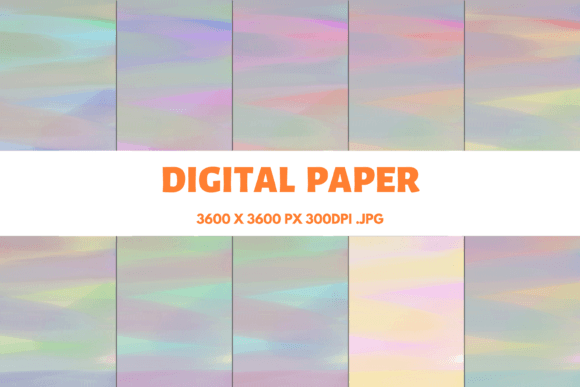
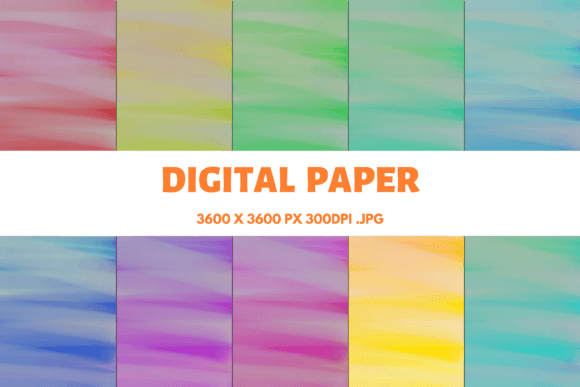
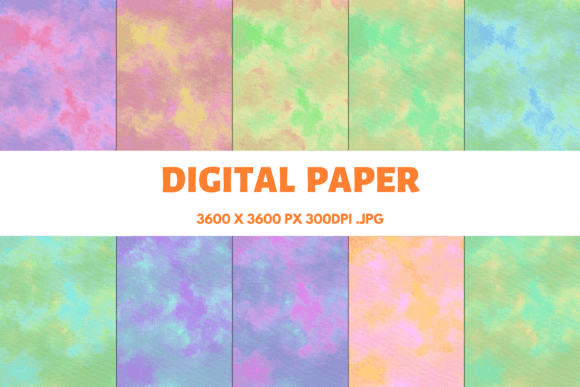
Watercolor Texture Digital Papers 2 is a high-quality digital paper bundle that brings the organic feel of traditional watercolor art into the digital space. This collection includes 10 JPG digital papers, each rendered at 300 DPI with dimensions of 3600×3600 pixels, making them ideal for printing at 12×12 inches. These textures are designed to be versatile, adaptable, and compatible with a wide range of creative applications—from graphic design to product packaging and beyond.
Understanding the Value of Watercolor Texture Digital Papers 2
The appeal of watercolor textures lies in their ability to add depth, warmth, and character to any design. Unlike flat or synthetic backgrounds, these digital papers mimic the subtle imperfections and fluidity of hand-painted surfaces. Whether you're looking to create a vintage look, enhance a modern layout, or add a natural element to your project, Watercolor Texture Digital Papers 2 provides a ready-to-use solution that blends seamlessly with other design elements.
Each texture in this bundle has been carefully crafted to ensure consistency in quality while offering enough variation to suit different needs. The 300 DPI resolution ensures sharpness and clarity when printed, making it suitable for both small-scale and large-format projects. The 12×12 inch size also makes it easy to scale or crop as needed without losing detail.
Where Watercolor Texture Digital Papers 2 Fits in Your Workflow
These digital papers can be used at various stages of a project. Before beginning a design task, they can serve as a foundation or background layer that sets the tone for the entire composition. During the design phase, they can be layered beneath text, logos, or images to add visual interest. After finalizing a design, they can be used to print physical materials such as invitations, business cards, or promotional items.
For example, if you're designing a social media graphic, you might use one of the watercolor textures as a base layer before adding text and icons. This approach not only adds a unique aesthetic but also helps differentiate your content from generic designs. Similarly, if you're working on a book cover, using a watercolor texture can evoke a sense of nostalgia or elegance that complements the content inside.
Integration with Other Tools and Resources
Watercolor Texture Digital Papers 2 works well with a variety of design software and platforms, including Adobe Photoshop, Illustrator, Canva, and even mobile apps like Procreate or Adobe Express. These files are in JPG format, which is widely supported and easy to import into most design tools. Their high resolution also ensures compatibility with both raster and vector-based workflows.
When using these textures in a design, consider how they interact with other assets. For instance, if you're creating a logo, you might pair a soft watercolor texture with bold typography to create contrast. If you're designing a T-shirt or mug, you could overlay the texture with a simple illustration or photograph to maintain visual balance.
Practical Implementation Tips
To get the most out of Watercolor Texture Digital Papers 2, it's important to plan how they will be used within your specific project. Here are a few practical tips to help you integrate these textures effectively:
- Layering Techniques: Use the textures as background layers and adjust their opacity to allow other design elements to show through. This technique can help create depth and dimension without overwhelming the overall composition.
- Color Matching: Choose a texture that complements the color palette of your project. Soft, muted watercolor textures work well with pastel tones, while more vibrant textures can be paired with bold colors for a striking effect.
- File Organization: Keep your digital papers organized in a dedicated folder or resource library. This makes it easier to locate and reuse them across multiple projects.
- Printing Considerations: When printing, ensure that your printer supports high-resolution outputs and that the paper quality matches the intended use (e.g., glossy for photos, matte for text-heavy designs).
Use Cases Across Industries and Projects
The versatility of Watercolor Texture Digital Papers 2 makes them suitable for a wide range of industries and applications. Here are some common use cases:
- Sublimation Printing: These textures are perfect for sublimation projects such as mugs, T-shirts, and phone cases. The soft, organic feel of the watercolor patterns can give these items a unique, artistic touch.
- Printed Paper Products: From invitations to thank-you cards, watercolor textures can elevate the look of printed paper products. They are especially effective for weddings, birthdays, and other special occasions.
- Social Media Graphics: Use these textures as backgrounds for Instagram posts, Facebook covers, or Pinterest pins. Their aesthetic appeal can help increase engagement and brand recognition.
- Product Packaging: Incorporate watercolor textures into packaging designs to create a sense of authenticity and craftsmanship. This is particularly useful for handmade or artisanal products.
- Scrapbooking and Journaling: These textures can be used as page backgrounds or embellishments in scrapbooks and journals, adding a personal and artistic flair to the pages.
Long-Term Use and Quality Control
As with any digital asset, it's important to maintain the quality of Watercolor Texture Digital Papers 2 over time. Store the files in a secure location, such as a cloud storage service or an external hard drive, to prevent loss or corruption. Avoid compressing the files unnecessarily, as this can reduce image quality and resolution.
Regularly review how these textures perform in different projects. If certain textures don't align with your design goals, consider curating a smaller set of preferred options for future use. This helps streamline your workflow and ensures consistency across all your creative outputs.
By integrating Watercolor Texture Digital Papers 2 into your workflow thoughtfully, you can enhance the visual appeal of your projects while maintaining efficiency and professionalism. Whether you're a designer, marketer, educator, or hobbyist, these textures offer a valuable tool for adding personality and creativity to your work.